Dashboards and Internal Tools People Use
Admin dashboards and internal tools built around the operator's real workflow: research first, prototype before code, one screen per decision. Our method.
4
Build Stages
3
Human Sign-Off Gates
3-6 weeks
Typical Build Window
100% code + data
Ownership Handed Over
These figures describe how the work is structured — stages, gates, and timelines — not claimed client outcomes. We publish capabilities and our own internal systems as proof, never invented case studies.
The Challenge
Most internal tools die quietly. The team asks for a dashboard, someone builds twelve charts, and three months later everyone is back in spreadsheets because the tool answers questions nobody was asking. The real problem is that internal software gets built from a feature list instead of from the two or three decisions an operator makes every morning.
An internal tool is a screen an operator opens to make a decision: which leads to call, which orders are stuck, whether yesterday's numbers need a phone call. We design and build those screens - admin dashboards, queue managers, review consoles, reporting views - so the decision takes seconds instead of a spreadsheet session.
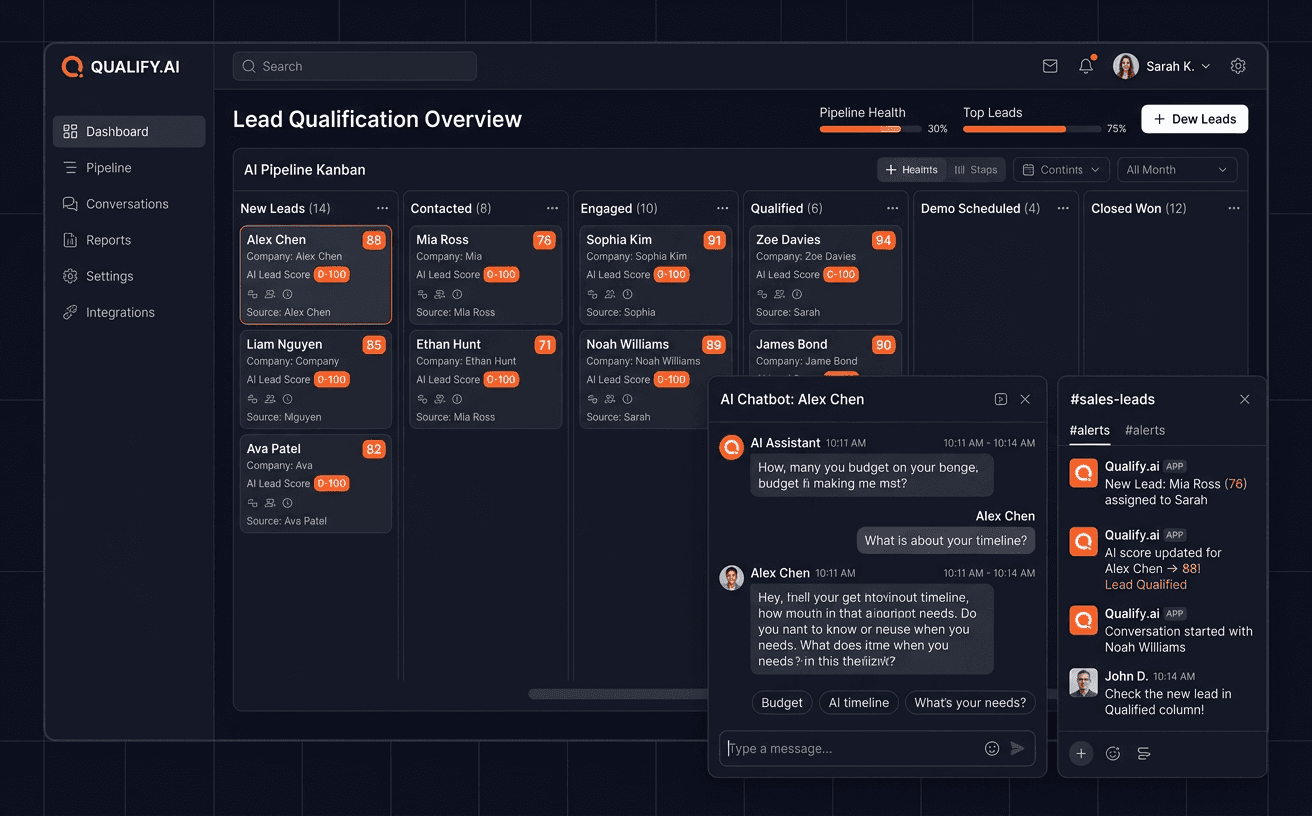
To be plain about what this page is: it describes how we do this work, not a project we did for a named client. Our proof is the software we run our own company on. The admin dashboard behind our outbound engine manages 4,300+ leads across nine scrapers, with AI scoring and a human approval gate before any email goes out. We use it every day, which is the harshest usability test there is.
When You Need This
- Your team runs the business out of spreadsheets that only one person understands, and that person is a bottleneck.
- You have data in three systems and no single screen that shows whether today is fine or on fire.
- Someone built you a dashboard once. It has many charts. Nobody opens it.
- Approvals happen over WhatsApp, so nobody can tell later who approved what, or when.
- A weekly report takes someone half a day to assemble by hand.
How the Work Is Done
1. Watch the work before designing anything
We start by sitting with the people who will use the tool - a call, a screen share, sometimes just a recording of them doing the task the slow way. We are hunting for the handful of decisions the tool must serve and the exact data each one needs. Everything else is decoration. This stage ends with a one-page workflow map the operator signs off on. That is the first human gate, and it exists because a tool built from a manager's description of the work rarely matches the work.
2. Prototype before code
Next comes a clickable prototype: real screens, real labels, plausible data, zero backend. The person who will live in this tool walks through their morning in it while we watch where they hesitate. Changing a prototype costs an hour; changing a built screen costs days, which is why the second sign-off gate sits here. The rule we hold ourselves to is one screen per decision - if a view needs a paragraph of explanation, the view is wrong.
3. Build on boring, owned infrastructure
The approved prototype gets built with the same stack our own systems run on: Next.js, TypeScript, Supabase for data, Tailwind on a token system. Where AI helps - scoring records, summarising free text, flagging anomalies - we wire in Gemini through Vertex AI, always as an assistant whose output a human can see and override, never as a silent decision-maker. Anything irreversible (sending, deleting, paying) sits behind an explicit confirm step with an audit trail.
4. Automate the reporting, then hand over
Questions asked on a schedule become reports that send themselves. We do this for ourselves too - our weekly Search Console report emails itself with zero human involvement. The final gate is acceptance: the operators run a real week on the tool while the old spreadsheet stays alive as a fallback. Then we hand over the code, the database, the docs, and a recorded walkthrough. You own all of it.
Where This Goes Wrong
- The dashboard for the demo. Twelve charts impress in a sales meeting and answer no daily question. We start from decisions, not from what looks good on a projector.
- Nobody trusts the numbers. One figure disagrees with the old spreadsheet and the whole tool loses credibility. We reconcile against the existing source of truth before launch, in writing.
- The tool assumes clean data. Real records have missing phones, duplicate names, and half-filled fields. Screens must degrade gracefully; ours are designed against the messy data, not the ideal row.
- No owner after launch. Internal tools need a named person with admin rights and permission to demand changes. We ask for that name at kickoff, not at handoff.
What You Get
A production dashboard or internal tool running on your own accounts and infrastructure, with role-based access, audit trails on consequential actions, scheduled reports, documentation, a recorded walkthrough, and the complete source code and database in your ownership. Nothing about your operation lives in software you rent from us.
If your team is making daily decisions out of spreadsheets, this is the work that fixes it. See how our UX strategy engagements are scoped →
Project Details
Client
Capability showcase — how we do this work
Industry
Operations & Internal Software
Services
Timeline
3-6 weeks depending on scope
Team
Designed and built by Naavim Labs
Scope
Workflow research, prototype, dashboard and internal-tool build, data plumbing, handoff
Delivery Snapshot
Stack
Deliverables
- Workflow map of the decisions the tool must serve
- Clickable prototype validated with the people who will use it
- Production dashboard or internal tool on your own infrastructure
- Role-based access and an audit trail where actions matter
- Automated reports for the questions asked on a schedule
- Documentation and a recorded walkthrough
- Full source code and database ownership
More Case Studies
What Made It Work
Services Behind This Result
Still Scrolling?
Every Extra Scroll Is Time Your Competitors Are Using Better.
Strategic builds, AI systems, and growth engines for ambitious teams. If your project is a fit, we move fast and build deep.
Book
Pick a 30-min slot that works
Review
We assess fit before the call
Call
Strategy session with next steps
Best for teams with a real growth constraint, a decision-maker in the room, and urgency to ship.
We take a limited number of active builds to keep execution sharp.
Or email manav@naavimlabs.com if you already know what you want built. Not ready yet? Browse the case studies and come back when the timing is right.