For businesses and founders who need software built around how they work.
Software built around how your business works, in the browser or on the phone.
We build custom web applications, mobile apps, customer and partner portals, booking and marketplace platforms, and SaaS products. A web application is interactive software used through a web browser, rather than a website that only displays information. A portal is a private online area where customers or partners manage bookings, payments, documents and updates.
Timeline
Set in your Consultation plan
Engagement
Consultation, then discovery, screen design, build and rollout
Investment
Set in your Consultation plan
Why Teams Come To Us
- Businesses whose customers need to book, order or pay online
- Teams that need a web application, mobile app or customer portal
- Founders building a SaaS product or a first version (MVP) to test an idea
Outcomes We Usually Move
- Software built around how your business works
- A first release in use before the next one is planned
- Software your team can run
Not For
- Teams that have not agreed how the work is done today
- Projects that only need an existing tool set up properly
- Ideas with no one to own the software after launch
Standards
How we build software and apps
Process Before Code
We write down how the work happens today before deciding what to build.
Buy Before Build
If a tool you can buy does the job, you should buy it.
The Right Kind of App
Not every app needs an app store.
A Small First Release
Get something useful in front of real users early.
Your Data, Your Accounts
Nothing important should live in someone else's login.
Built to Be Handed Over
Software nobody can maintain becomes a problem.
Proof
What this looks like in practice

Apps on the phone
Booking, ordering and payment flows built for mobile first.

Portals and admin screens
Clear screens for customers, partners and staff, with roles and permissions.

Dashboards inside the product
The numbers each user needs, on one screen.
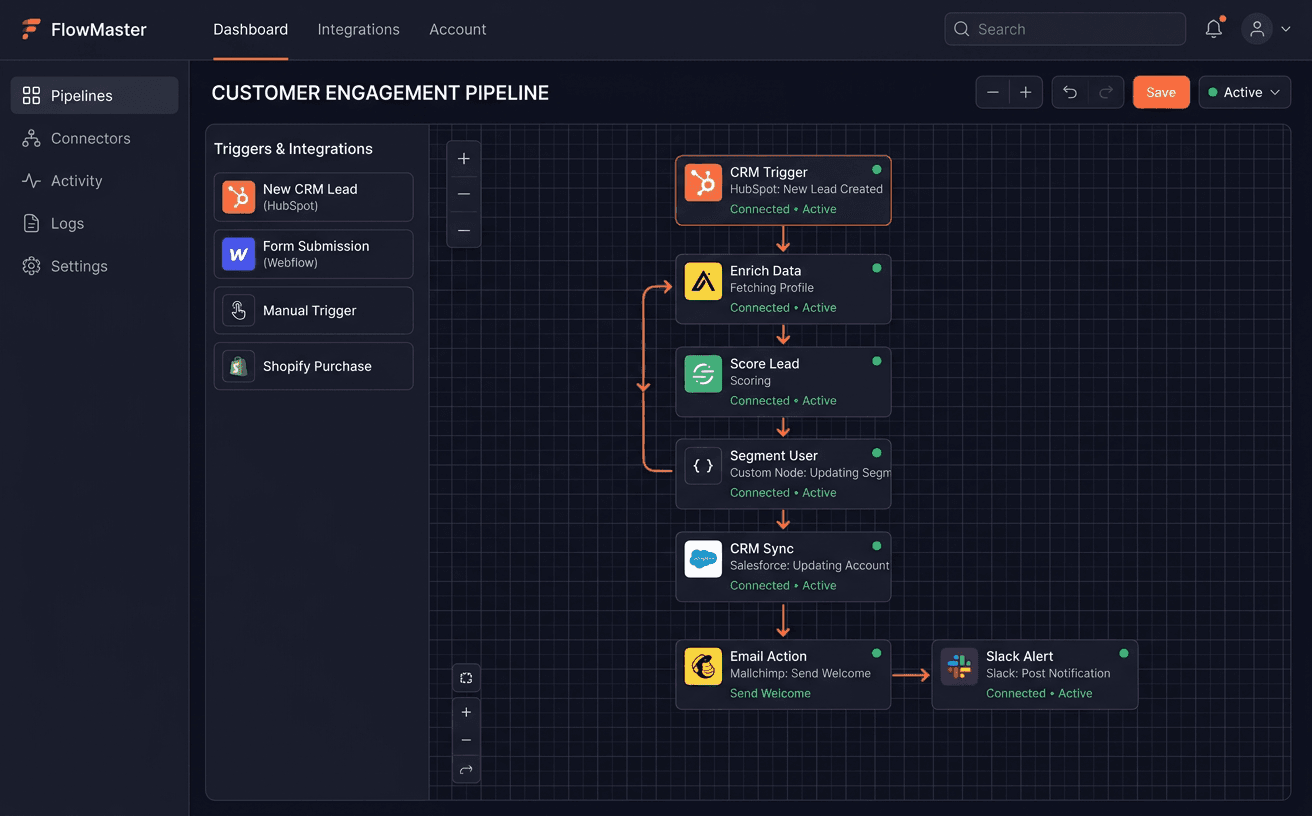
Software that talks to your tools
Your CRM, accounting and messaging connected, so data is entered once.
Not sure it needs custom software?
Many problems are solved by setting up a tool you already pay for. The Consultation tells you which ones are not.
How a software project runs
Discovery
- Requirements and user journeys for each type of user
- What to build, what can be bought and what to leave as it is
- Web, installable or app store, decided with you
Design the Screens
- Screens and flows for each type of user
- A clickable prototype checked with your team
- The data model and the connections to your other tools
Build the First Release
- Core workflow built and tested
- Roles, permissions and logging
- Connections to CRM, accounting, payment or messaging tools
Launch and Improve
- Rollout to users, one group at a time
- Fixes and changes based on real use
- Documentation, handover and support options
Consultation
What we look at in your Consultation
Before anything is designed, we look at who will use the software and how the work happens today.
Who the users are
What each user needs to do
Where the team loses time
Tools you already use
Where your data lives
What to build and what can be bought
The Consultation is software discovery and product planning. You get your requirements and user journeys written down, what to build and what can be bought, how your systems connect, the build cost and a rollout plan.
Typical Build Stack
FAQ
Frequently asked questions
What kind of software do you build?
Web applications, mobile apps, customer and partner portals, booking and marketplace platforms, and SaaS products and MVPs. Most projects replace spreadsheets and manual steps, or give customers an easier way to book, order or pay.
Do you build mobile apps?
Yes. We decide with you between a mobile web app, an installable web app and an iOS and Android app. Phone features, notifications, testing and app store submission are scoped in the plan.
Should we buy a tool or build one?
Often buy. We check what exists first. We build when your process is specific enough that ready-made tools force workarounds, or when several tools need to work as one.
How much does custom software cost?
It depends on the number of screens, users and integrations. You get the build cost and the timeline in your plan after the Consultation, before anything is agreed.
Who owns the code and the data?
You do. The code, the database and every account sit in your name, with documentation at handover.
What happens after launch?
We fix what real use turns up and add features in agreed steps. Your team can also run it on its own with the documentation.
Process
What happens after you book
Every project starts the same way, and you decide at each step.
Step 1
Consultation
We go through your requirements, the people who will use the software and the tools you already use.
Step 2
Your plan
You get a plan with what to build, what can be bought instead, the build cost and the rollout. If you don't need new software, we say so.
Step 3
Build
Once you agree the plan, we design and build the first release, then add the rest in agreed steps.
Step 4
Grow
When the software is live, we can help bring in more customers through lead generation and marketing.
Start with a Consultation. We work through what the software needs to do, then tell you what is worth building.
Snapshot
Engagement Snapshot
Timeline
Set in your Consultation plan
Engagement
Consultation, then discovery, screen design, build and rollout
Investment
Set in your Consultation plan
Handoff
Code, database, documentation and a walkthrough
Explore
Other Services
Next step
Not sure this is what you need?
Book a Consultation. We look at your business first, then plan what to build and what can be bought.
You get a plan: requirements, what to build and what can be bought, the cost and the rollout plan.